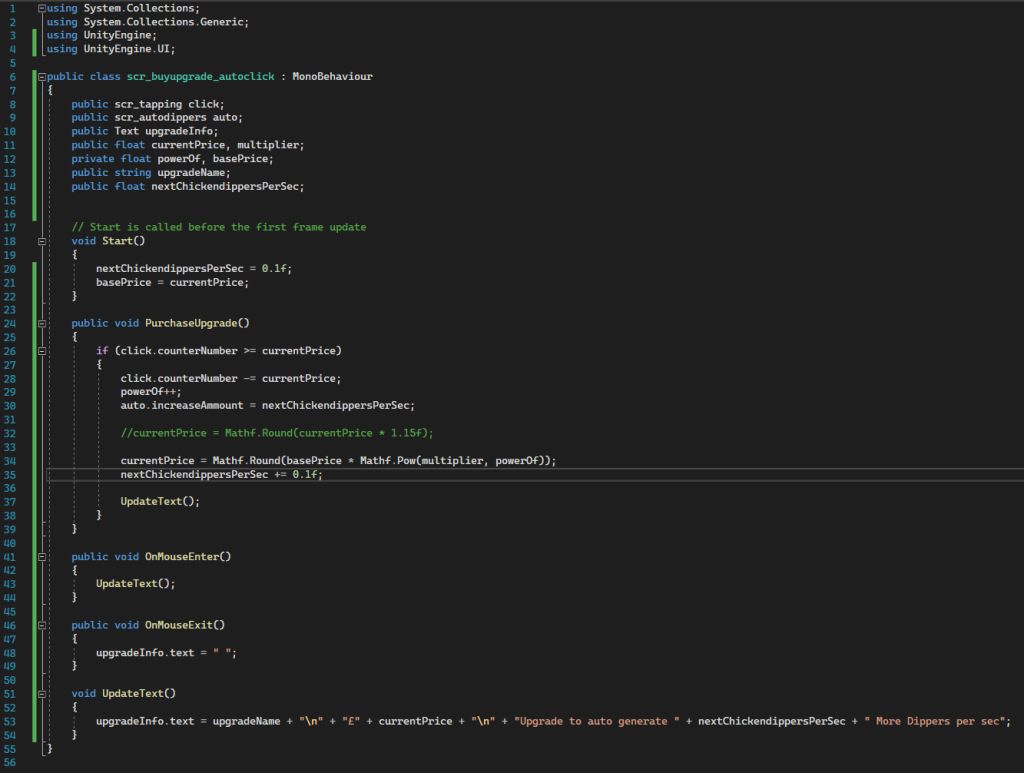
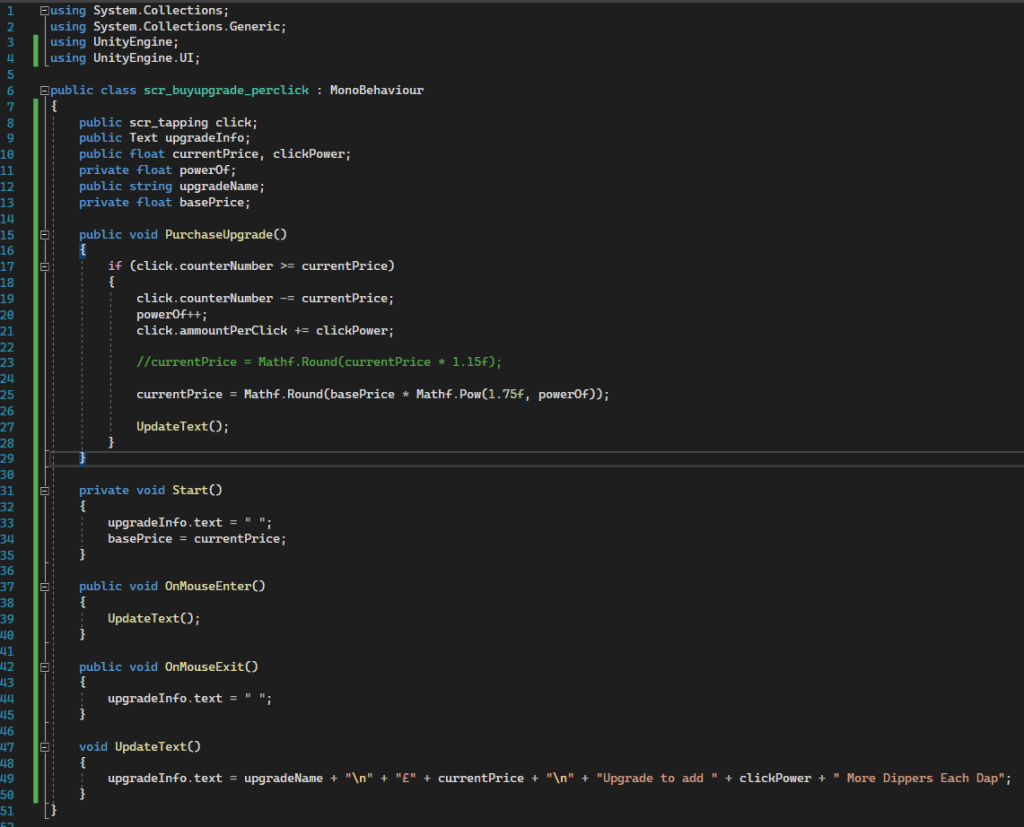
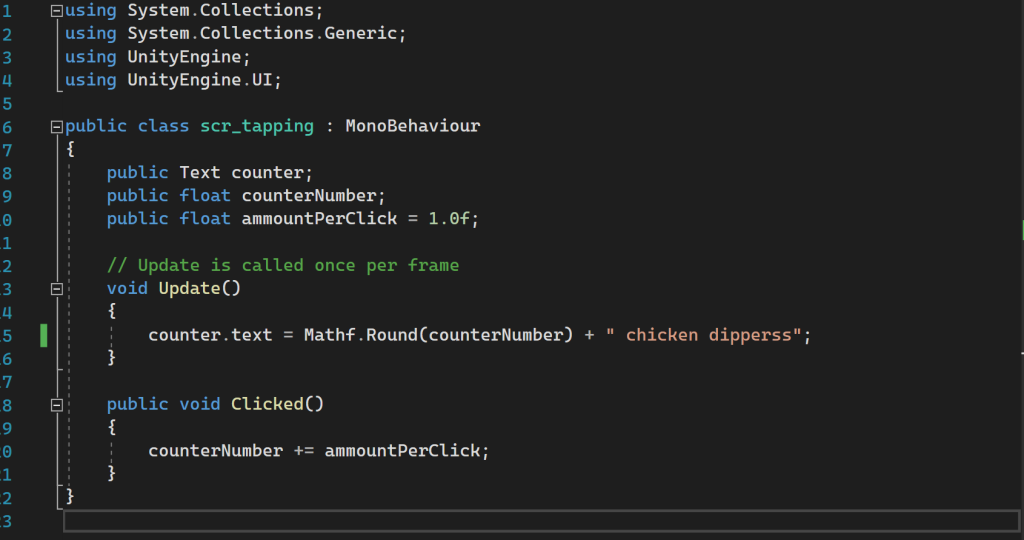
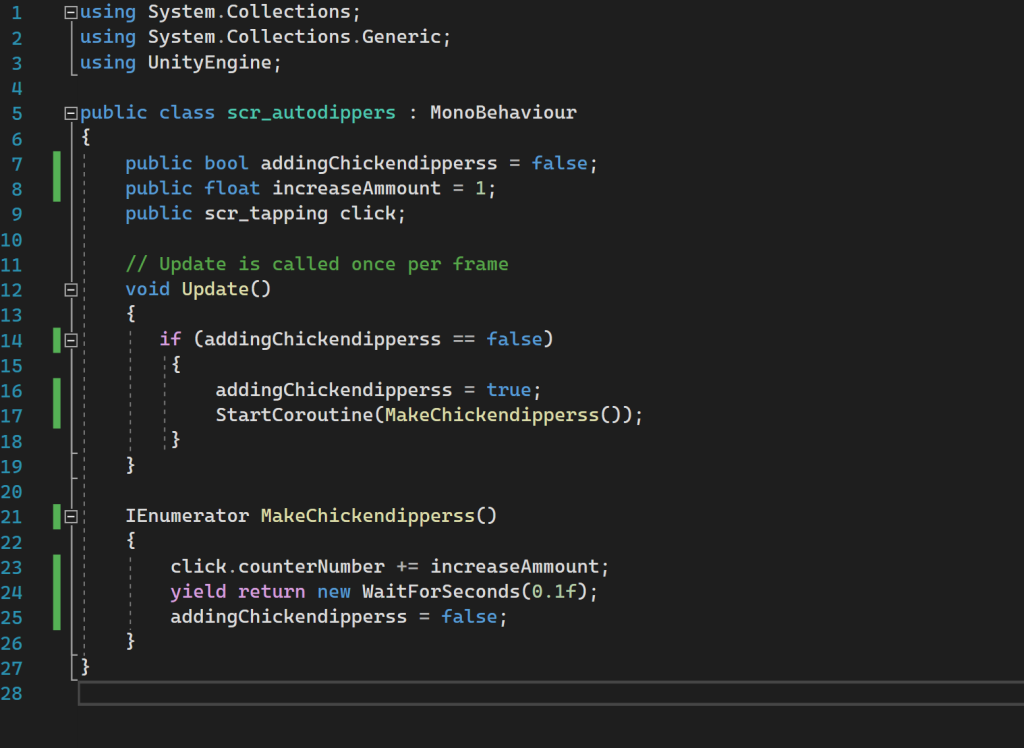
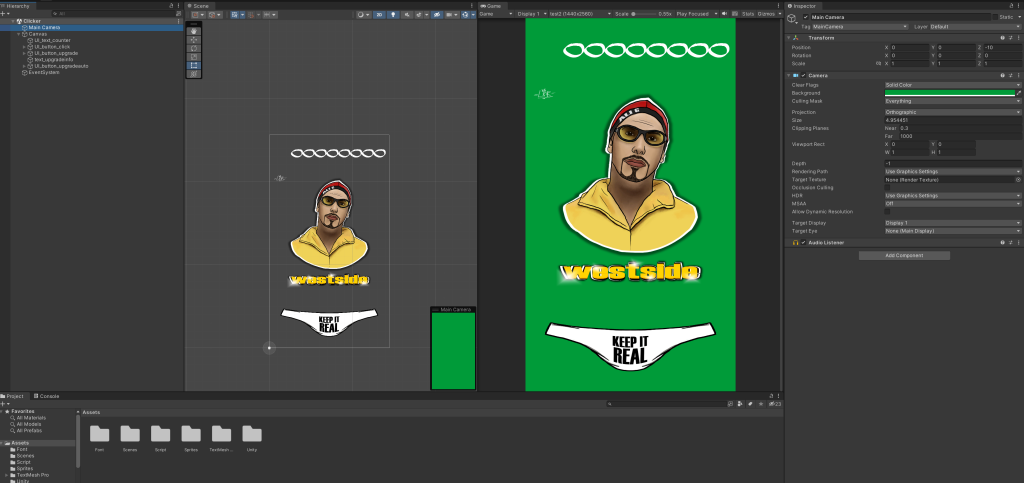
Main game.this script was for the westside button I had made as sort of upgrade function to gain more points automatically, didn’t want to make this button too over powered or too easy to get so I needed to control the clicks, the price of the actually button, and how many points were given per second which is why I made them all public; auto increase amount was the function the made the score counter increase and I could measure this in unity. I had to also refer to the score counter as pressing the upgrade button was suppose to take away points to purchase it and then start adding them as that’s its function. this was another upgrade button I had below to increase the amount of points was gained per click to the main button, therefore i had to refer to the main button, score and the count . the upgrade info was a function where hovering over a button tells you was something is worth line 33 was to tell the game this function needs update and increase the price of this button.this was a simple code made for the main button, 2nd line 10 telling the game to update the score counter with the amount of clicks that have taken place. 1st line 10 tells the game that each click will be worth 1 point. this was another code that was to show what the auto clicks button function was, i wanted it to increase initially by 1 but to tell the game how many to give at once line 24 was saying to hold for 0.1 seconds. main game.things which I found challenging within making this game, being new to coding I found the terms for the functions hard to understand and grasp what they were actually suppose to do. furthermore when facing an error I found it really difficult to resolve the problem on my own or understand what the problem was this would usually be the slightest mistake within my code such as spelling mistakes or ; missing.
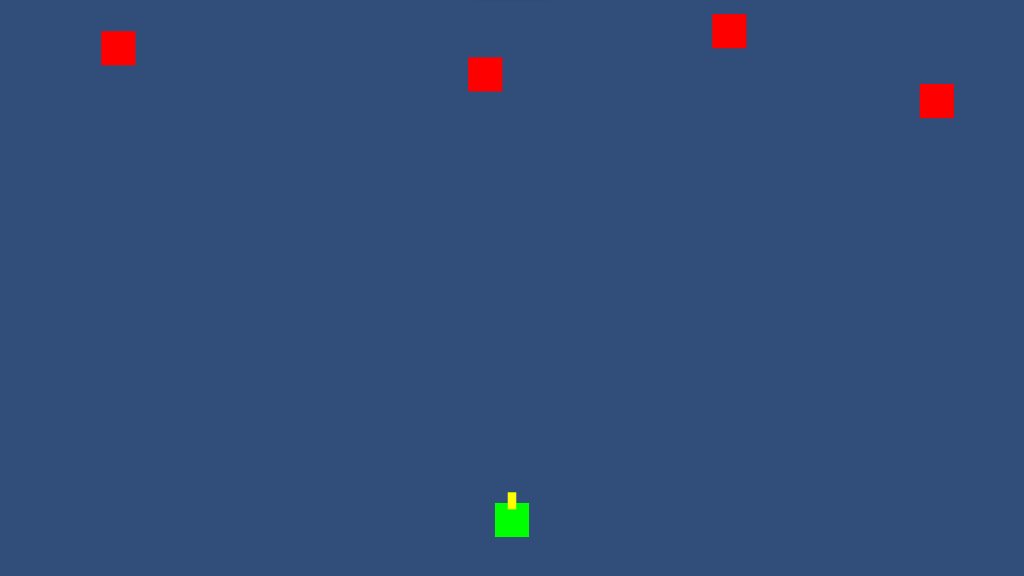
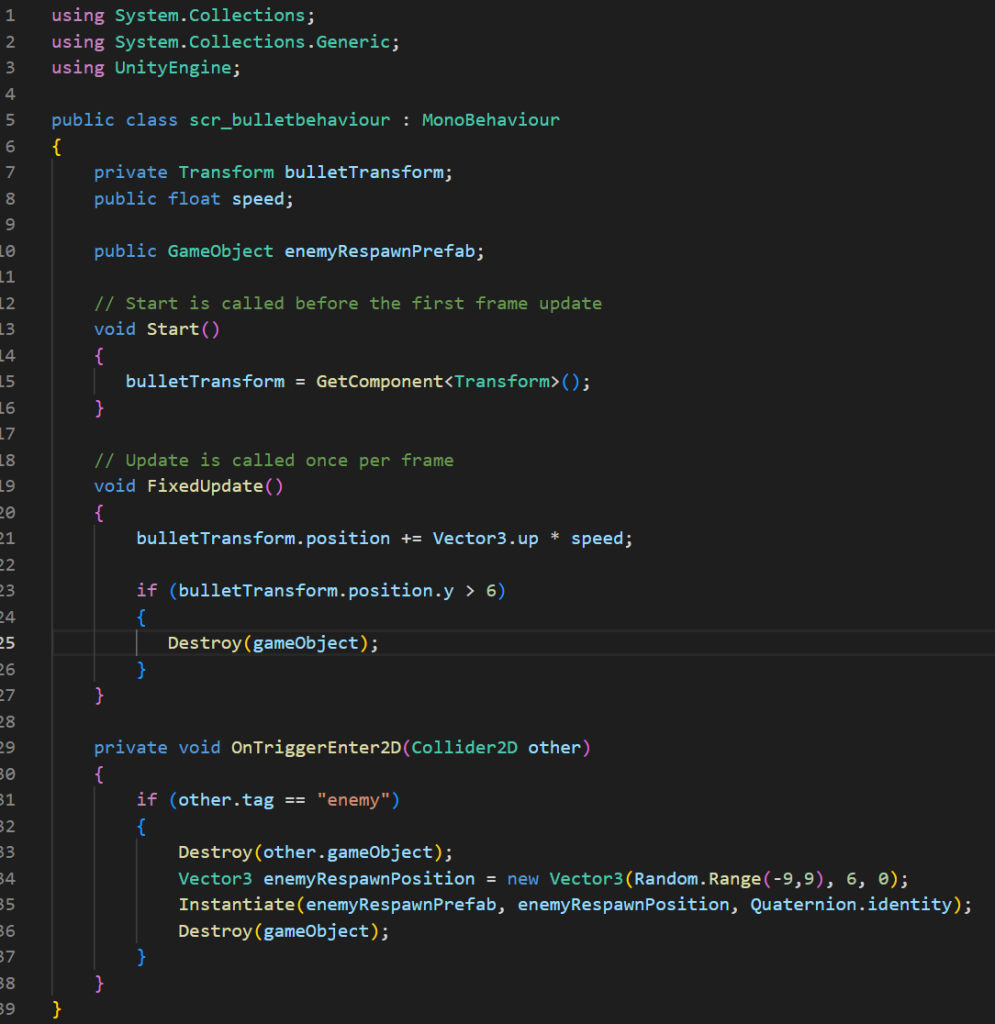
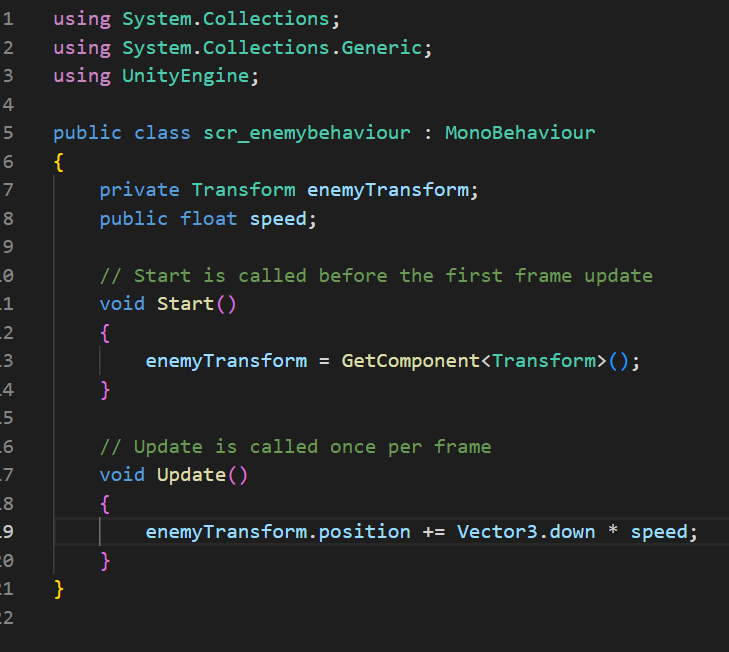
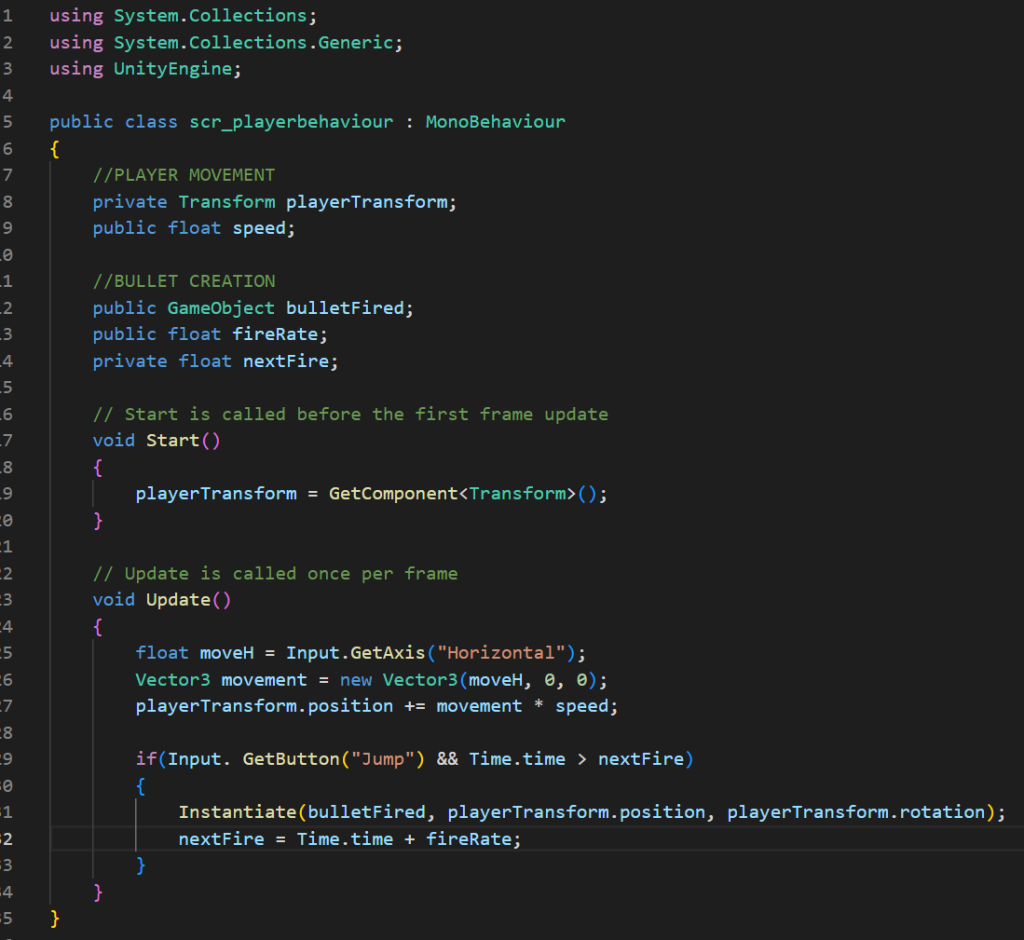
I made this first script especially for the bullet and its function, such as the speed in which it travels, which is why I made it public because it would be something I want to alter within unity. I also needed the game to understand that once the bullet hit an “enemy” it would treat it as such and would destroy the game object which is why I put tag enemy which meant I had to create tags in unity and label the enemy object as such. this script as labeled is the enemy script which I made to tell the game what I want the enemies function to be in this case all in wanted them to do is travel down the screen in the players direction. only variable I wanted to control in unity was the speed again so I made that a public float and all that was left to do is tell the computer where to travel towards which is why I made line 19.this script was the players behavior and basically how they can control the game, as it was a space shooter style i was wanting to restrict their movement to only left and right once again I needed to control the speed in which they move. The player is made to shoot so I also need to create a variable for the speed in which they could fire and that the bullet actually came from them. with all these functions of shooting in this script also implemented what button to shoot with on line 19.
within this game I faced a lot less problems as I feel like the coding was a lot more simple however this might be due to the fact I had somewhat of an idea what problems to look for after creating the cookie clicker. I did get a problem where it seemed that the enemies weren’t spawning but turned out to be that because they were off screen and the speed of them was so slow they weren’t coming towards the player fast enough, which i eventually resolved.
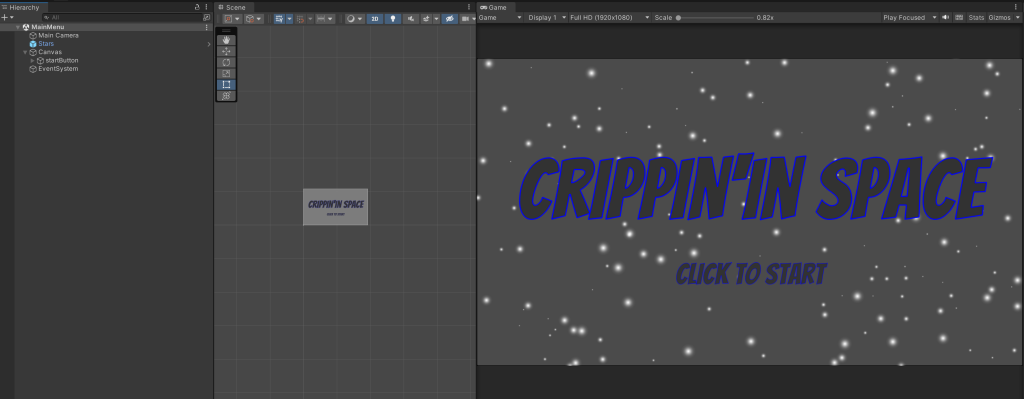
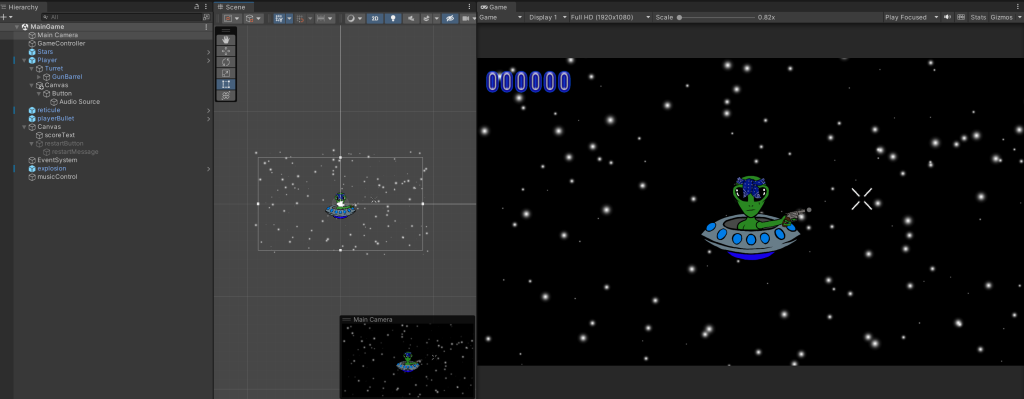
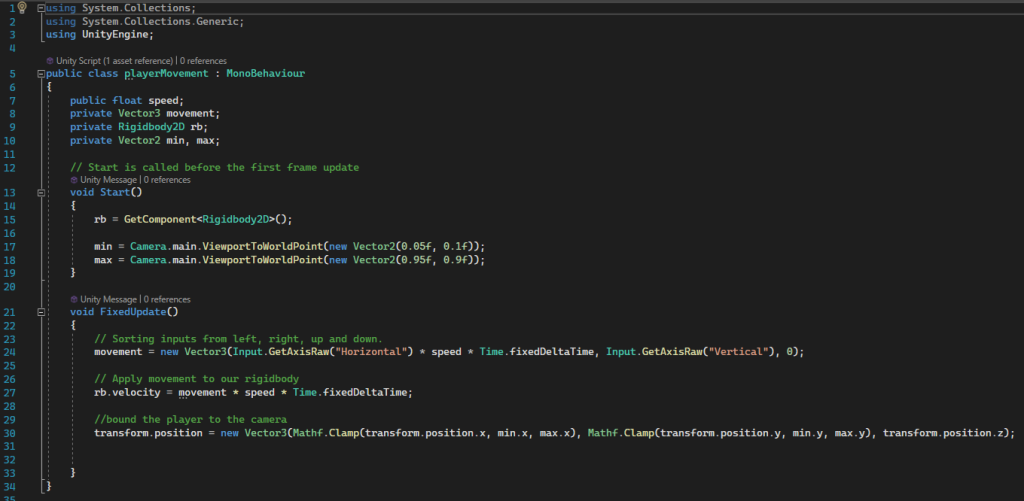
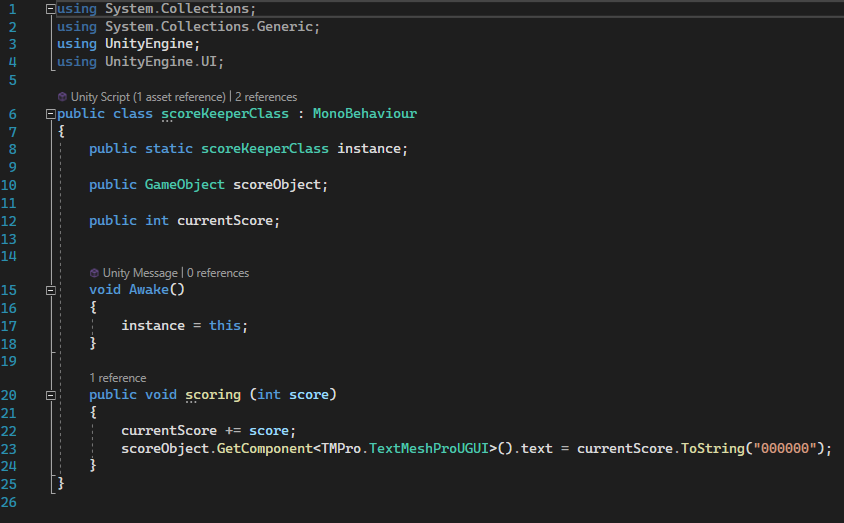
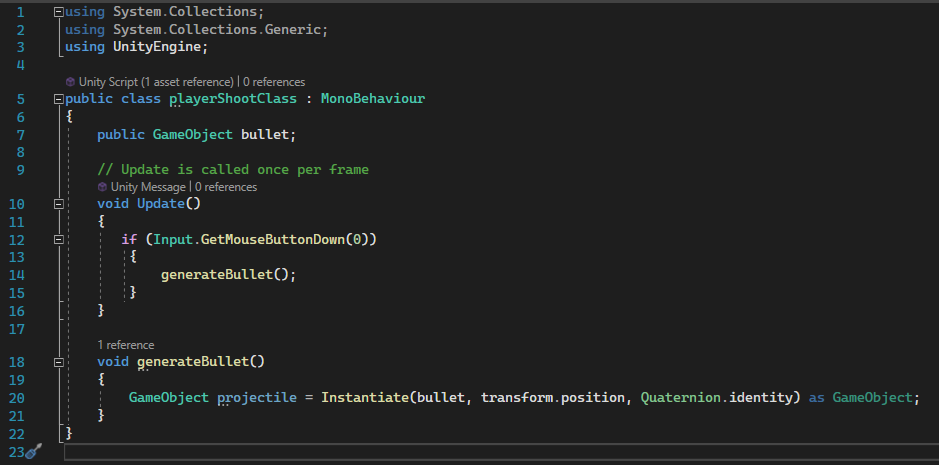
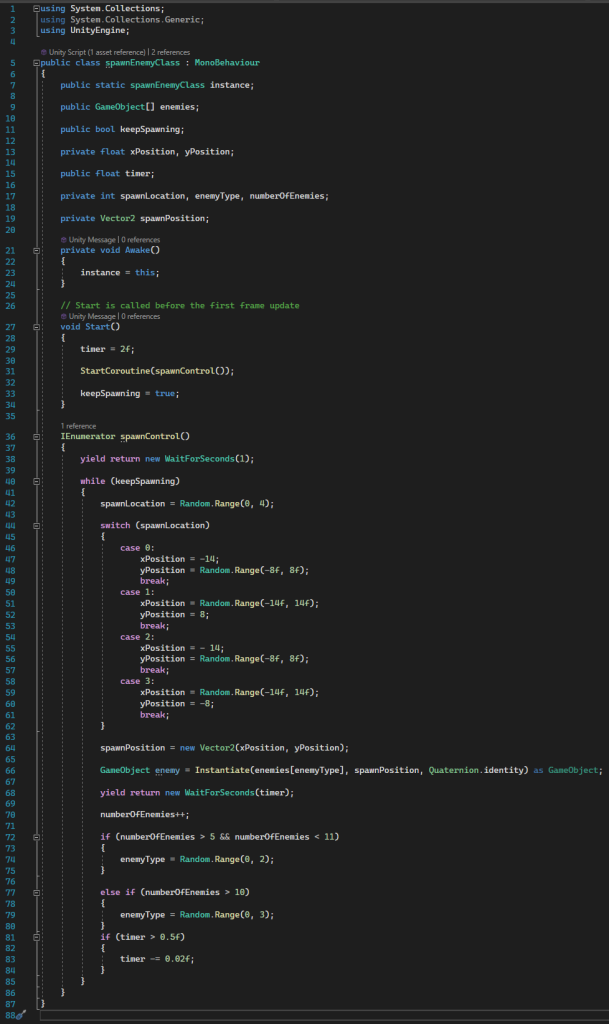
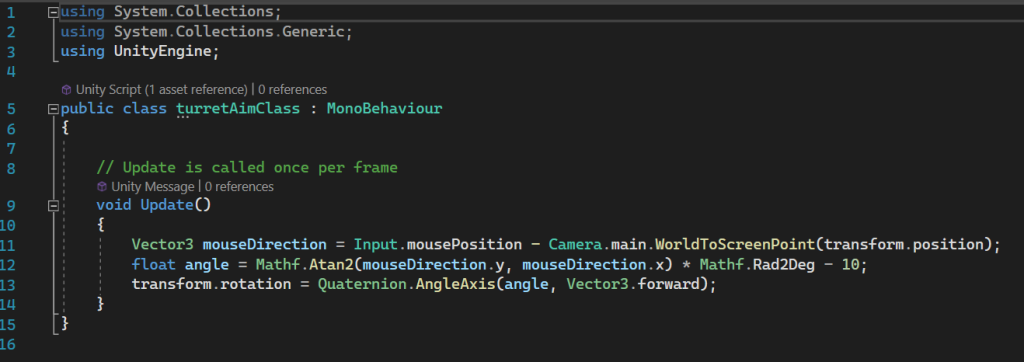
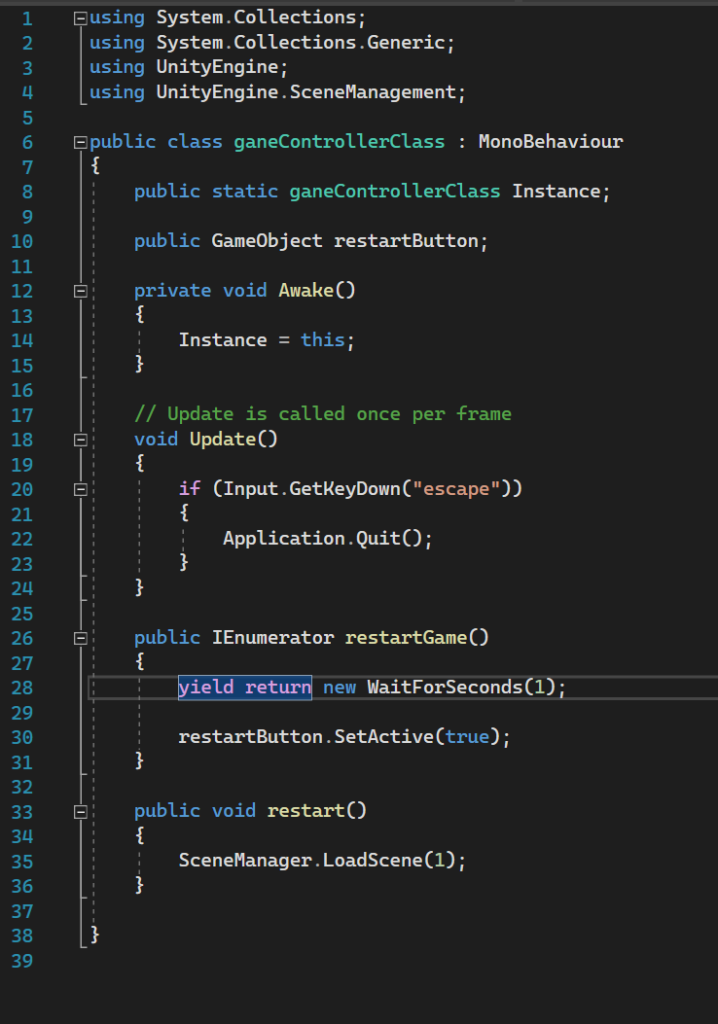
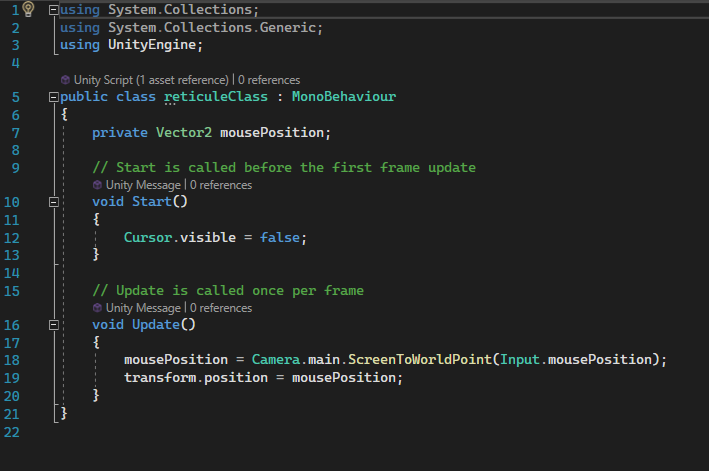
main menumain gamethis script was the movement of the player which was more complicated than the space invaders as I wanted the player to be able to move where ever they want to. this meant that I had to apply a ridgidbody onto the movement which allowed the player to collide with other object within the game and assigning key functions for the directions.To make the game feel more interactive and fun felt like it would be a good idea to include a score counter which is the function of this script ,to apply this to the text/ object i made it a public game object and i needed it to stay updated to what score the player is on so i used the phrase CurrentScore += score which updates the int score which then refers to the public int currentScore, which creates an increased score each kill the player gets .this script was to tell the game to generate the bullet from the turret/arm of the character however I wanted it to shoot like an actual gun which why I wrote game object projectile so that it would shoot in the direction I aimed it.the enemy spawn class was complicated due to the fact i wanted the enemy characters spawn outside field of view and in random intriguers this process had me in unity checking the x and y positions around the outside of the camera and marking that distance “random.range” is referred to so that the spawning of the enemies wasn’t the same timing and didn’t get predictable and boring. i had to repeat this process 4 different times as I had 4 different enemy types. this script was basically matching the turret/ weapon to the players curser so that the character would aim wherever their mouse is pointing which is why the input top the function is mouse position.this script was to help the user navigate around the game if they wanted to leave I added a simple function to press escape and exit out the game. however if they died a button would appear after a second to alert them they died and to press and restart showing the function on line 35.An addition the to turret aim script this was a reticule I added to follow and replace the cursor when opened the game to show that the game has started and to made if feel more interactive, similar code using the mouse input and referring to the mouse cursor as false basically telling the game to hide it.In this game only really faced one problem which was the settings within the explosive, it either went from exploding constantly on the enemies or just not at all however was able to resolve this by applying the explosions onto the enemies when destroyed and this seemed to have worked well.
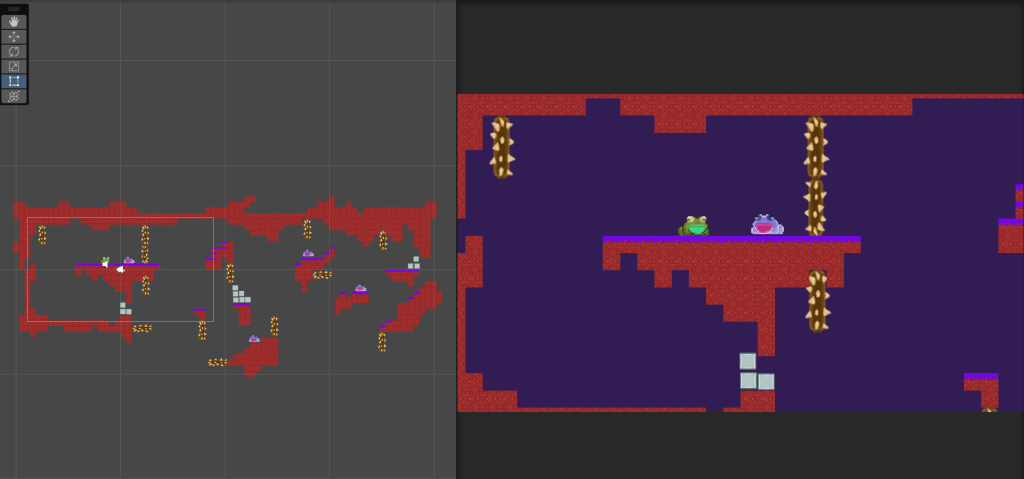
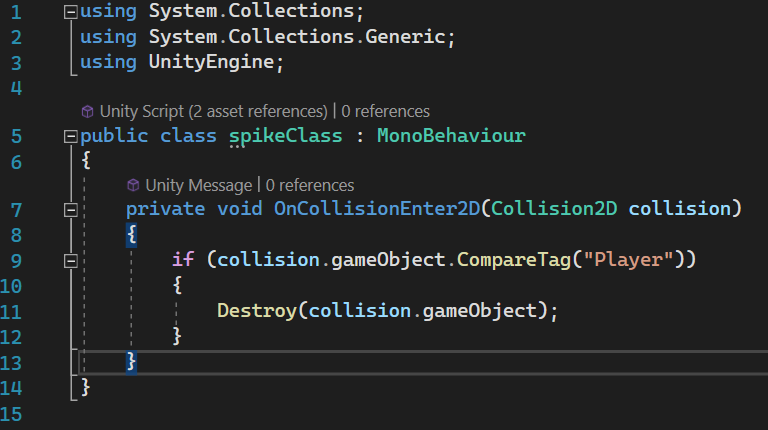
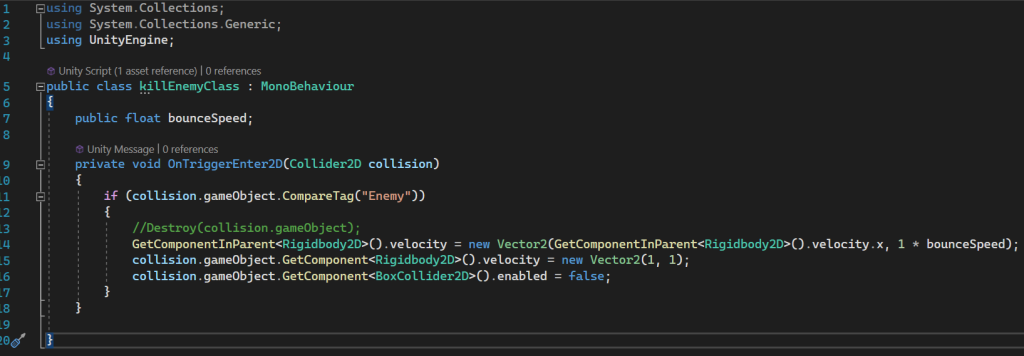
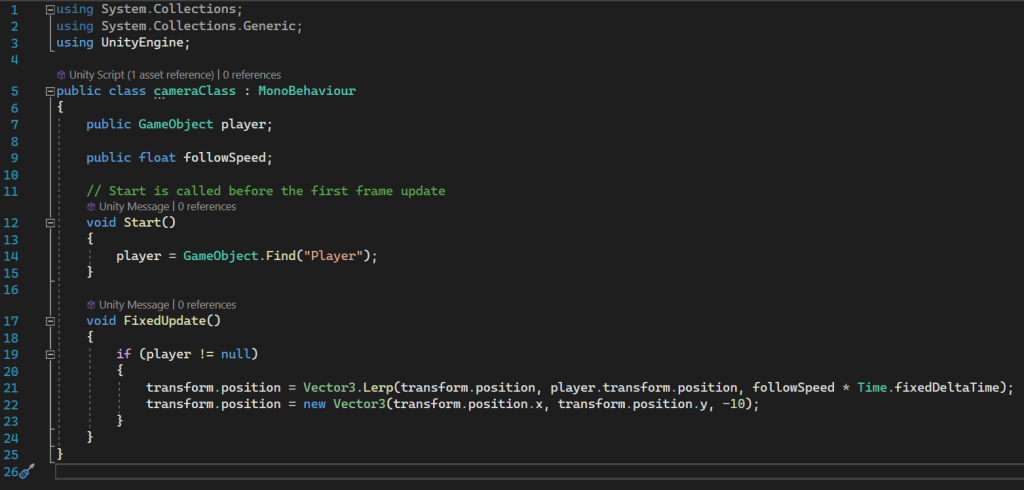
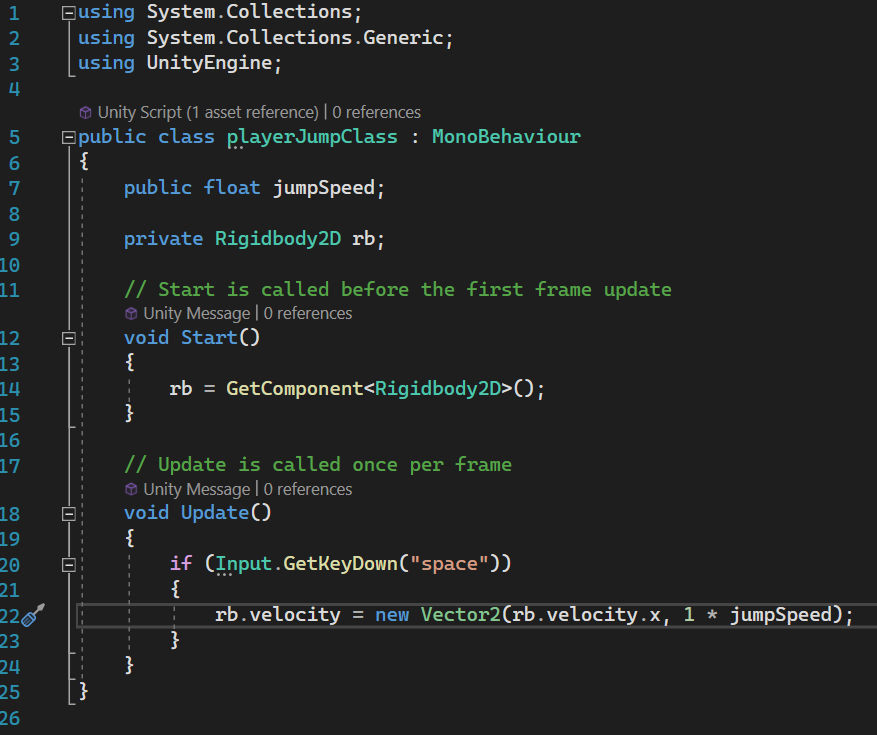
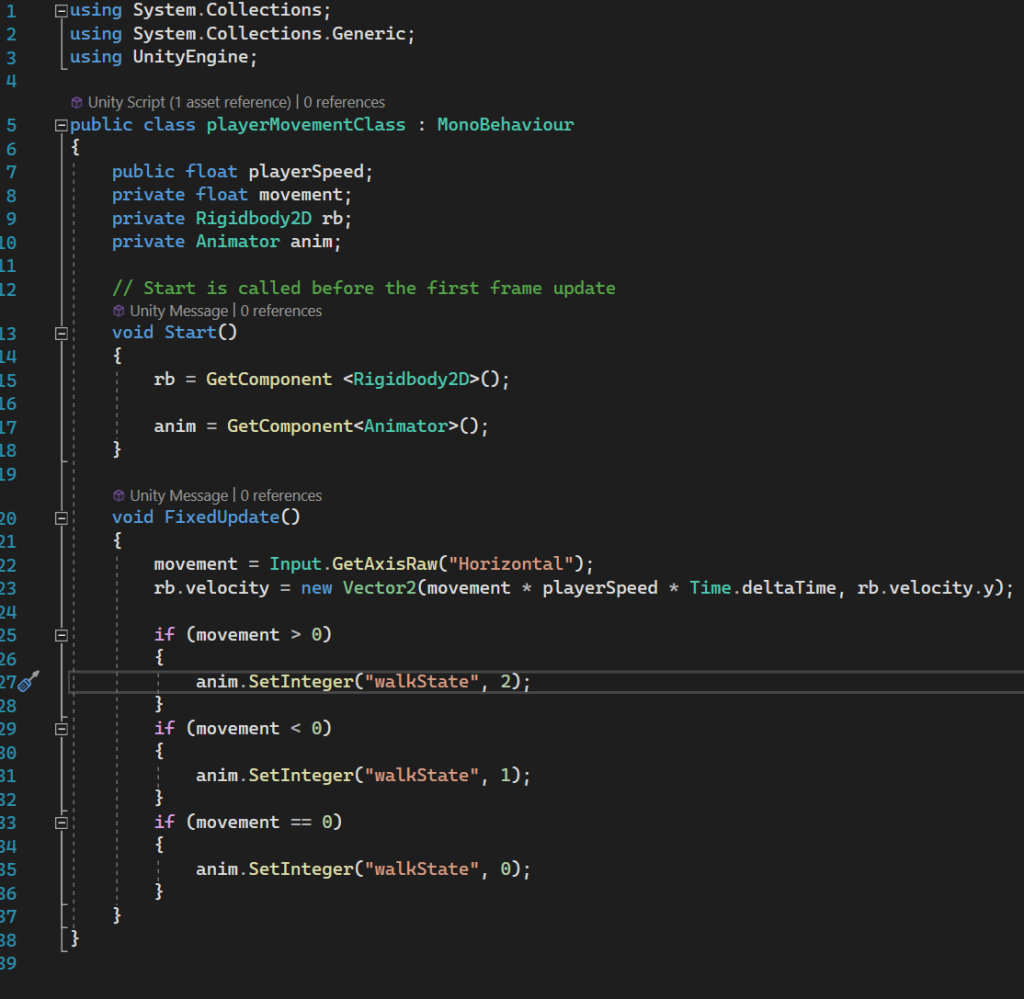
main game.this script was to make something for the player to totally avoid which are the big wooden spike things, had to add a collision2d which tells the game that 2 different objects can actually hit one another, and say that once the player tag come into contact with this spike object its disappears.what I was aiming to create with this script was a Mario style kill the enemy , what I mean by this is when the player jumps onto an enemy the enemy dies. had to include the player could actually bounce first and it is something I wanted to control in unity so I made that a public float. because coming into contact with a different object i had to refer to the collision and rigidbody for when the player bounces once on hitting the enemy they will die.this script was for the camera to follow the player when moving about in a athletically pleading way. I needed the game to first of all locate where the player was i did this by using the name I used for it in unity so that it can identify the correct object to follow and then telling the game to follow the speed and direction which the player is moving. follow speed is made public because I wanted to delay the speed of this to make it feel like an actual camera was tracking the player instead of it being locked on.being the main function of this game i needed to create a whole script for jumping, i purposely didn’t add a limit for the amount of jumps the player can have as I was wanting to make a more rage base game and how i did this was by including both rigdigidbody2d so that with each jump the player would once fall and public jumpspeed; in unity turning both ridgbody2d to a similar level so that the jumps don’t raise the player high but can still raise them high enough if they spam the space barthe movement of the character was definitely needed to the character could get around the map I wanted to control the speed but didn’t need control on anything else which is why everything else is private variable. however you’ll see walk states I am referring to and these are the different images I want the game to switch to when walking left, right and at a stand still I did this to make the game feel more interactive again.
had no serious problems by the time had was making this one the only frustrating moments through this game was getting the speed of the bounces and character moving to a good enough level as well as the collision with enemies.